Streamlining Business Financing with Salesforce and OnDeck
Streamlining Business Financing with Salesforce and OnDeck
1. Overview of OnDeck
OnDeck is an online small business lending company that has been helping business owners access capital since 2006. By combining digital lending technology with a simplified application process, OnDeck provides an alternative to traditional bank financing.
OnDeck has delivered more than $25 billion in financing and supported over 185,000 businesses across the United States.
OnDeck offers two primary business financing solutions:
- Business Term Loans: Provides financing from $5,000 to $400,000 in a single lump sum, with repayment terms of up to 24 months. This option is suitable for businesses planning larger investments, equipment purchases, or business expansion.
- Business Lines of Credit: Provides revolving credit from $6,000 to $200,000, allowing qualified business owners to access funds as needed and reuse available credit as they repay their outstanding balance.
Businesses can use OnDeck's financing solutions for various purposes, including:
- Managing seasonal cash flow fluctuations.
- Purchasing inventory and business equipment.
- Covering payroll and operating expenses.
- Investing in new business opportunities.
- Supporting short-term working capital requirements.
One of OnDeck's key features is its streamlined online lending process, which allows business owners to apply for financing within minutes. Eligible businesses may receive funding as soon as the same day following approval, subject to applicable conditions.
OnDeck also provides dedicated loan advisors to help business owners understand their financing options and select suitable funding solutions based on their business requirements.
Its lending process considers factors such as business operating history, revenue, cash flow, and creditworthiness to determine financing eligibility and available funding options.
2. Salesforce and OnDeck Integration Overview
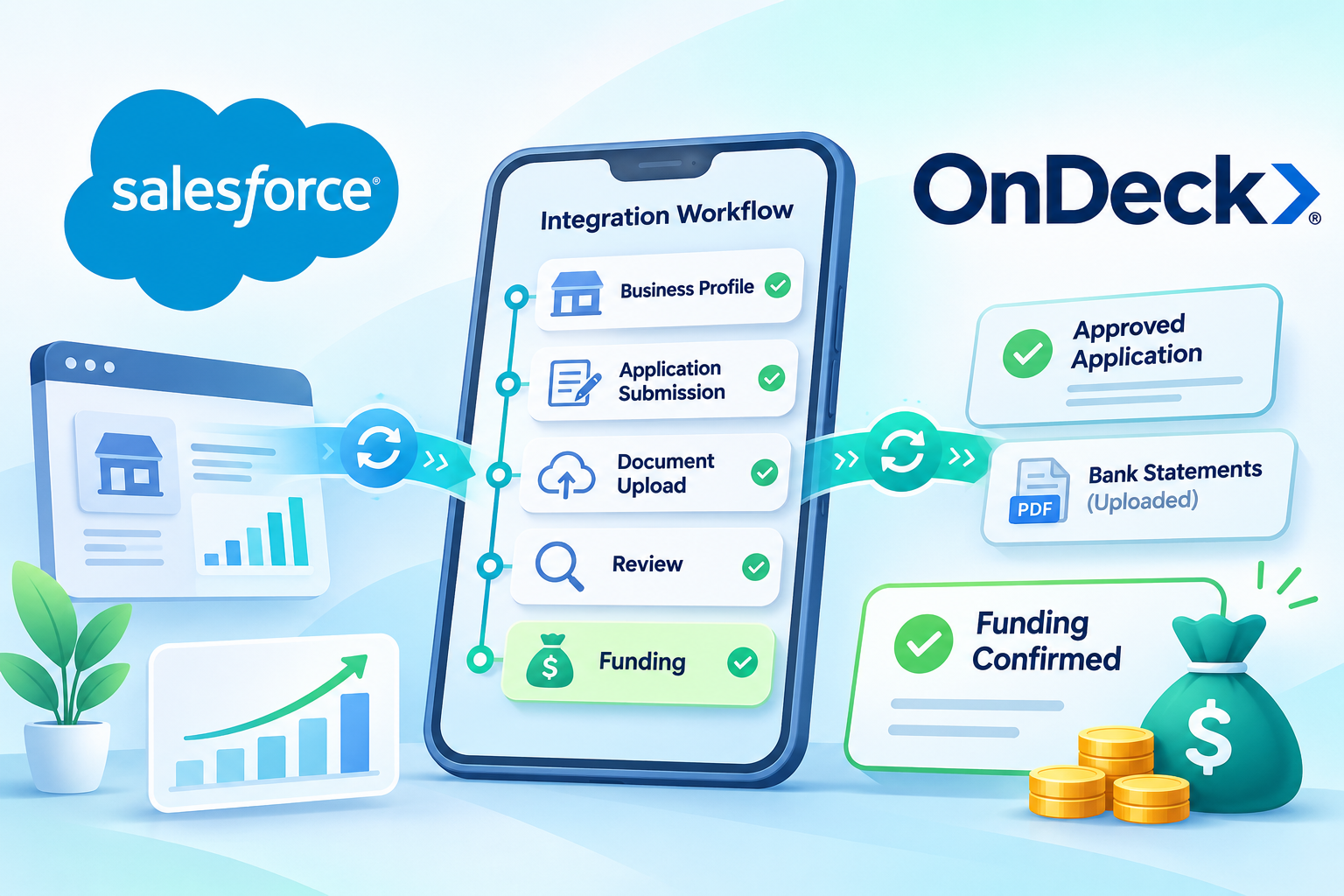
Integrating Salesforce with OnDeck allows businesses to submit financing applications directly from Salesforce without manually entering the same information into multiple platforms.
Salesforce acts as the central platform for collecting business information, owner details, financial information, requested financing amounts, and supporting documents.
Through the integration, Salesforce shares the required application information with OnDeck, transfers supporting documents, and receives submission responses that can be stored and referenced within Salesforce.
The integration covers three main areas:
- Business, owner, and financial information submission.
- Supporting document uploads.
- Receiving and storing submission responses.
3. How Salesforce Integrates with OnDeck
The integration allows Salesforce to communicate with OnDeck through its APIs.
When a business financing application is ready for submission, Salesforce collects the required information and sends it to OnDeck to create a financing application.
Business Information
Salesforce shares the following business details:
- Business DBA and legal name.
- Business address.
- Business city, state, and postal code.
- Business entity type.
- Federal Tax ID.
- Business contact number.
- Business start date.
- Business industry.
- Intended use of funds.
Business Owner Information
Along with business details, Salesforce submits the primary owner's information, including name, ownership percentage, Social Security Number, residential address, date of birth, email address, and contact numbers.
If the business has a second owner, their information is also included in the submission.
Financial Information
The integration also includes financial information that supports the business financing application.
The financial information included in the application consists of:
- Business revenue.
- Average bank account balance.
- Existing merchant cash advance balance.
- Requested financing amount.
- Personal credit score.
- Business bank account information.
This information helps OnDeck review the financial requirements and business profile associated with the financing application.
Sample Request Body
The following is an illustrative example of the information Salesforce sends to OnDeck when creating a financing application.
{
  "business": {
    "name": "ABC Technologies LLC",
    "doingBusinessAs": "ABC Technologies",
    "address": {
      "addressLine1": "123 Business Street",
      "addressLine2": null,
      "city": "New York",
      "state": "NY",
      "zipCode": "10001"
    },
    "legalEntity": "LLC",
    "phone": "2125550100",
    "businessInceptionDate": "2020-05-01",
    "industryNAICSCode": null,
    "industrySICCode": null,
    "contactable": null,
    "loanPurpose": "Business Expansion",
    "natureOfBusiness": "Information Technology",
    "landLordName": null,
    "landLordPhone": null,
    "taxID": "000000000"
  },
  "owners": [
    {
      "name": "John Smith",
      "dateOfBirth": "1985-06-15",
      "ssn": "000000000",
      "cellPhoneNumber": "2125550101",
      "homeAddress": {
        "addressLine1": "456 Main Street",
        "addressLine2": null,
        "city": "New York",
        "state": "NY",
        "zipCode": "10002"
      },
      "homePhone": "2125550101",
      "ownershipPercentage": 60,
      "email": "john@example.com"
    },
    {
      "name": "David Smith",
      "dateOfBirth": "1988-09-20",
      "ssn": "000000000",
      "cellPhoneNumber": "2125550102",
      "homeAddress": {
        "addressLine1": "789 Park Avenue",
        "addressLine2": null,
        "city": "New York",
        "state": "NY",
        "zipCode": "10003"
      },
      "homePhone": "2125550102",
      "ownershipPercentage": 40,
      "email": "david@example.com"
    }
  ],
  "selfReported": {
    "desiredLoanTerm": null,
    "creditCardMoreThan3Months": null,
    "transactionCount": null,
    "revenue": 1000000,
    "averageBalance": 26000,
    "averageCCVolume": null,
    "mcaBalance": 0,
    "desiredLoanAmount": 50000,
    "personalCreditScore": 700,
    "separateBusinessBankAccount": true,
    "hasAdditionalManagingPartners": false,
    "hasAdditionalOwnersMoreThan25": false
  }
}4. Supporting Document Uploads
After the financing application is successfully submitted, Salesforce also transfers the available supporting documents to OnDeck using the business reference information returned during the application submission.
The integration supports uploading documents stored against the Salesforce application, including:
- Application Documents: Business financing application documents associated with the financing opportunity.
- Bank Statements: Business bank statements required for financial review.
Salesforce identifies the application documents and bank statements associated with the financing opportunity and automatically transfers them to the corresponding business record in OnDeck.
The integration handles commonly used file formats, including:
- PDF documents.
- Microsoft Word documents.
- Microsoft Excel spreadsheets.
- JPG, JPEG, PNG, and GIF images.
- Text documents.
Documents are transferred individually, allowing multiple application documents and bank statements to be associated with the same business record.
This helps ensure that the application information and available supporting documents are transferred as part of the overall financing process.
Sample Document Upload Request
Documents are uploaded separately from the main business information submission.
The following is an illustrative representation of a bank statement upload request:
File Name: Bank_Statement.pdf
Content Type: application/pdf
File: [Bank Statement File Content]
Similarly, the business financing application document is transferred as a separate file.
File Name: Business_Application.pdf
Content Type: application/pdf
File: [Business Application File Content]5. Receiving Responses from OnDeck
Once OnDeck receives the financing application, it returns a response containing the application reference information.
Salesforce captures this information to maintain a reference to the submitted financing application.
Sample Submission Response
The following is an illustrative example of the response that may be received from OnDeck after successfully submitting a financing application:
{
  "url":"https://my.ondeck.com/application/4bf3a619-c862-4ae4-aa60-5d9d5d7b0a21?
   lender=ondeck",
  "businessID":"4bf3a619-c862-4ae4-aa60-5d9d5d7b0a21",
  "applicationNumber":"11785532
}
Salesforce uses the returned Application Number to identify the financing application created in OnDeck.
The Business ID is used to associate the supporting documents with the corresponding business record in OnDeck.
The submission information, including the Application Number, financing provider, submission date, response status, response code, and response body, is stored against the related Salesforce application.
This allows businesses to maintain a centralized reference of their financing application submissions within Salesforce without manually tracking application information across multiple platforms.